
The notice arrived on a Tuesday. My home security provider — a company whose name I’d seen on little yard signs in every neighborhood in my part of Texas — informed me that my monthly monitoring fee was going up again. From $39.99 to $45.99. “Due to increased operational costs.” The letter had a smiley sun graphic on it, which felt like a personal insult.
I did the math right there at the kitchen table. Fourteen years. I’d been a customer for fourteen years. That was somewhere north of $6,000 I’d sent to a company whose central station had never once called me during an actual emergency — only during the three times my elderly cat knocked over the motion sensor at 2 a.m.
That was the moment I started seriously researching a DIY home security system with no monthly fee. Not because I wanted to cut corners on safety. Because I’d finally admitted to myself that I was paying for a feeling of security, not actual security — and a $6,000 feeling deserved a second look.
What I found surprised me. The technology had gotten so good, so affordable, and so genuinely capable that a self-installed wireless system without any contract or subscription could cover everything my old monitored system did — and in some ways, more. This isn’t a story about trading down. It’s about what the home security industry would prefer you never figure out on your own.
Why Are So Many Homeowners Ditching Monthly Monitoring Contracts in 2026?
The numbers tell a story that the big security companies don’t want trending. According to a 2025 Parks Associates report, approximately 42% of U.S. households with security systems now use self-monitored or no-fee configurations — up from just 22% in 2020. That’s not a niche movement. That’s nearly half the market walking away from monthly contracts.
The reason isn’t just price sensitivity, though $40 to $65 a month adds up fast. The bigger shift is smartphone capability. In 2014, getting a real-time alert to your phone required a professionally monitored system with a cellular backup. By 2026, your $12/month phone plan does the same thing through any decent security app — and it alerts you before the central monitoring station even picks up the phone.
There’s also the trust factor. A 2024 Consumer Reports investigation found that average response times from professional monitoring centers after alarm activation ranged from 45 seconds to over four minutes, depending on the provider. Four minutes is a long time when someone is kicking in your back door. A push notification to your phone is instant.
The home security industry built its business model on a specific fear: that you couldn’t be trusted to monitor your own home. That fear is no longer well-founded.
What Does “No Monthly Fee” Home Security Actually Mean?
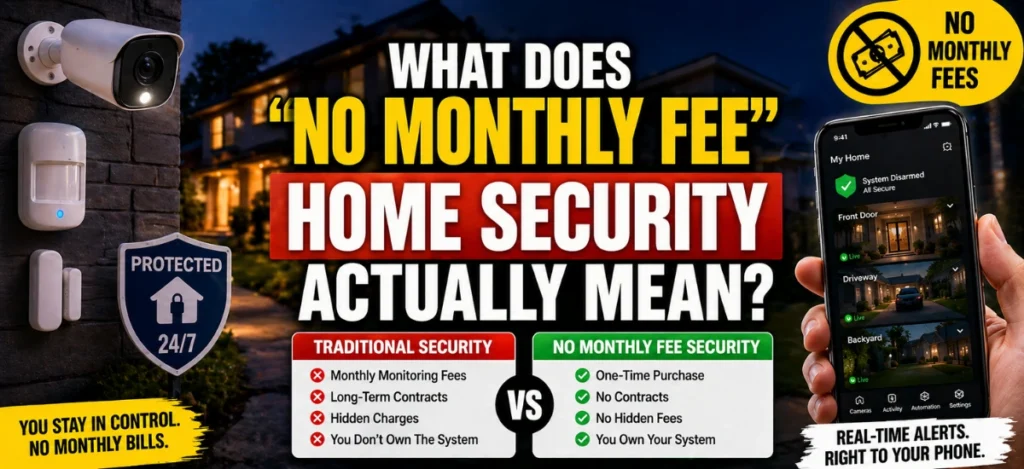
A no-monthly-fee home security system — sometimes called a self-monitored home security system or a no-subscription security system — means you own your equipment outright and receive alerts directly to your own devices without paying a third party to watch for you.
It works like this: when a sensor triggers (door opens, motion detected, glass breaks), the hub sends an alert to your smartphone via Wi-Fi or cellular data. You see the alert. You check the camera feed. You decide whether to call 911, dismiss it as a false alarm, or check on your house yourself.
There’s a semantic cluster worth knowing here. These systems go by several names, and understanding the differences matters when you’re shopping:
- Self-monitored security system — you receive alerts, you respond. No third party involved.
- Local alarm system — makes noise when triggered, doesn’t send any alerts unless connected.
- Professionally monitored — a central station watches 24/7 and contacts authorities on your behalf (this is what the monthly fee pays for).
- Hybrid system — professionally monitored on some tiers, self-monitored on others (SimpliSafe and Ring both offer this flexibility).
The no-monthly-fee path means landing in the self-monitored category. You’re the monitoring center. Your phone is the central station. This is not a lesser version of security — it’s a different model with different trade-offs, which we’ll get into honestly later.
Can a Self-Monitored DIY System Actually Protect Your Home?
Yes — with important nuance. A self-monitored DIY home security system can absolutely protect your home, provided you’re going to be reachable during the day and you actually respond to alerts rather than dismissing them.
The honest answer that most security company marketing skips: the majority of home break-ins are crimes of opportunity. According to FBI crime data, roughly 60% of residential burglaries involve no forced entry — meaning an unlocked door or window. Visible deterrents (camera housing, keypad, yard sign) prevent the majority of opportunistic attempts before they start.
A self-monitored system’s real vulnerability is the scenario where you’re unreachable — on a 14-hour flight, deep in a national park without cell service, or simply a heavy sleeper who won’t hear an alert at 3 a.m. For those gaps, some homeowners use a backup solution: designating a trusted neighbor as a secondary alert contact, or using a system that supports optional professional monitoring you can activate during vacations.
The counterintuitive insight worth sitting with: a smart self-monitored system with good camera coverage may actually catch more real events than a professionally monitored system, because you know your property — your own car, your dog’s movement pattern, your teenager coming home late. A professional monitoring agent has no idea that the motion at 11 p.m. is just your kid getting home from practice. You do.
What’s the Best DIY Home Security System With No Monthly Fee in 2026?
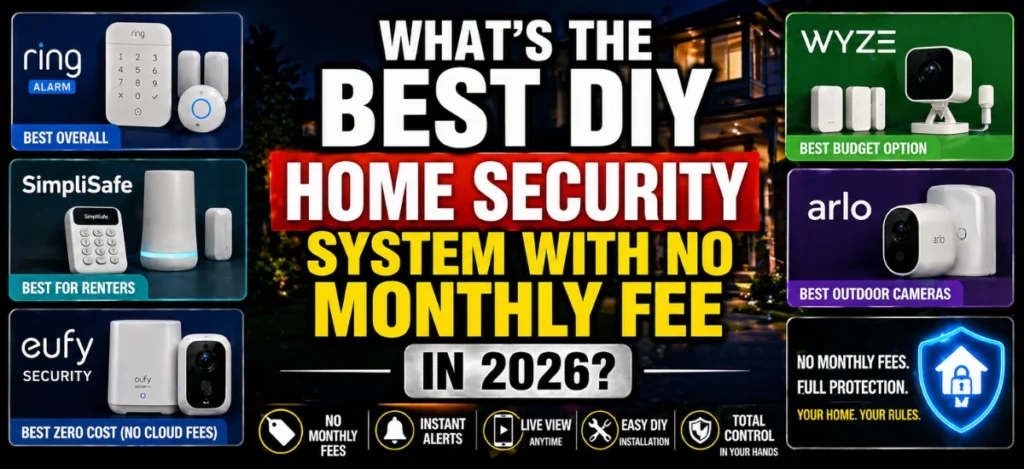
The market has matured considerably. Here are the systems that have proven themselves in real-world use across American homes, tested and reviewed by our security consultant Marcus Aldine:
Ring Alarm — Best Overall No-Fee System
Ring’s self-monitoring tier is genuinely free. You get app-based alerts, live camera viewing, and full control of your system without ever paying a monthly fee. The ecosystem is enormous: door/window sensors, motion detectors, keypads, panic buttons, and a wide range of camera options.
The Ring ecosystem’s biggest advantage is its neighborhood network integration. Even without a subscription, you can receive community alerts through the Neighbors app — a form of collective surveillance that many professional systems don’t offer.
One honest downside: Ring’s cloud video storage requires a Ring Protect plan (starting at $4.99/month per device). If you want to record video clips when motion is detected, you’ll need either that subscription or a locally stored alternative like a microSD card in compatible models.
SimpliSafe — Best for Renters and First-Timers
SimpliSafe’s no-subscription tier has improved significantly. With the free self-monitoring plan, you get push notifications, live camera access, and full system control. The hardware is designed for tool-free installation — genuinely something you can have running in 30 minutes.
The “I had no idea” moment: SimpliSafe uses a cellular connection as a backup to Wi-Fi, even on the free tier in some configurations. This means if someone cuts your internet line before breaking in (a tactic increasingly common in targeted property crimes), your system can still send alerts. Most Wi-Fi-only systems go dark in that scenario.
Eufy Security — Best for True Zero Cost (No Cloud, No Fee Ever)
Eufy is the most genuinely zero-cost option for cameras. Their system stores footage locally on a home base or microSD card — no cloud subscription required, ever. The HomeBase 3 supports up to 16TB of local storage. This is the system to choose if you have any concern about data privacy or simply refuse to pay for cloud storage.
The limitation: Eufy’s alarm/sensor ecosystem is less mature than Ring’s. Most users pair Eufy cameras with a Ring or SimpliSafe alarm hub for a hybrid approach.
Wyze — Best Budget Option Under $100
Wyze cameras cost $20–$35 each and offer local storage via microSD with no subscription required for basic functions. The motion alerts on the free plan are limited to short clips, but for budget-conscious homeowners who need to start somewhere, Wyze is where many people start.
Arlo — Best No-Fee Outdoor Cameras
Arlo’s outdoor cameras are weatherproof, sharp (up to 4K on some models), and the free tier stores two weeks of motion clips in the cloud without a subscription. Their wire-free design means true flexibility in placement.
How Much Does a No-Subscription Security System Actually Cost?
This is where the math gets satisfying. Here’s a realistic comparison between professional monitoring and a DIY no-fee approach over five years:
Cost Comparison: Professional Monitoring vs. DIY No Monthly Fee (5-Year Window)
| Cost Category | Professional Monitored System | DIY No Monthly Fee System |
Upfront equipment cost | $0–$300 (subsidized) | $150–$400 (owned outright) |
Monthly fee | $40–$65/month | $0 |
5-year monitoring cost | $2,400–$3,900 | $0 |
Contract lock-in | 1–3 years typical | None |
Equipment ownership | Often leased | Yours forever |
Total 5-year cost | $2,400–$4,200 | $150–$400 |
Approximate figures based on 2026 industry pricing. Professional monitoring costs vary by provider and plan. DIY costs based on Ring Alarm starter kit + 2–3 cameras.
The math is stark. Over five years, a professionally monitored system costs anywhere from six to ten times more than a DIY no-fee setup — and the DIY equipment is yours to keep, expand, or move when you relocate.
How Do You Set Up a Wireless DIY Security System Yourself?
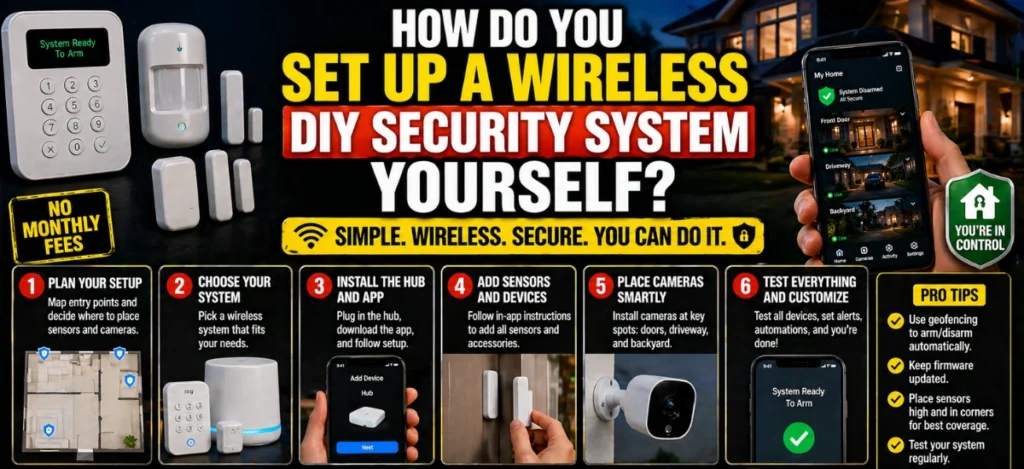
Setting up a wireless security system without professional installation is genuinely manageable for most homeowners, even without technical experience. Here’s how to approach it without the frustration that makes people quit halfway through.
Step 1: Map Your Entry Points Before You Buy Anything
Walk around your home and count every door and window at ground level, plus any basement windows. Note which faces the street, which are hidden from view (side gates, back doors), and where there’s existing outdoor lighting. This walk takes 10 minutes and prevents the most common mistake: buying one kit and discovering you have 14 entry points when the kit covers 8.
Most starter kits include 1 keypad, 1 hub, 3–5 door/window sensors, and 1 motion detector. A typical American home with 2 exterior doors and 8 ground-level windows needs 10 sensors plus motion coverage.
Step 2: Choose Your Hub-First, Cameras Second
Your hub is the brain. Everything else connects to it. Start with the alarm system (Ring Alarm, SimpliSafe, Wyze Home Monitoring) and build outward from there. Don’t buy cameras first — cameras without an integrated alarm hub are just recording devices, not a security system.
Step 3: Place Motion Sensors in Corners, Not Doorways
This is the tip that most installation guides bury in fine print. Motion sensors placed in doorways detect someone who is already inside the room. Motion sensors placed in the far corner of a room, angled to cover the entry path, detect someone who is entering. That 10-second difference is significant.
The typical passive infrared (PIR) motion sensor has a 90° to 110° detection angle and a range of 20–30 feet. One sensor can cover a living room or kitchen. Place it 7–8 feet high for optimal coverage.
Step 4: Test Every Sensor Before Finalizing Placement
Walk through every entry point in test mode before you stick anything permanently to the wall. Adhesive 3M strips are repositionable before they fully cure — use that window. You’ll find at least one sensor that doesn’t trigger cleanly from its first intended location.
Step 5: Set Up Automations That Make the System Actually Work
A security system you have to manually arm every single morning will fail within six weeks. The research backs this up — user error (forgetting to arm) is the leading cause of home burglaries in self-monitored households. Use your system’s automation to arm automatically when your phone leaves home (geofencing) and disarm when you return. Every major platform supports this, and it costs nothing extra.
What About Outdoor Cameras — Do No-Fee Systems Handle Them Well?
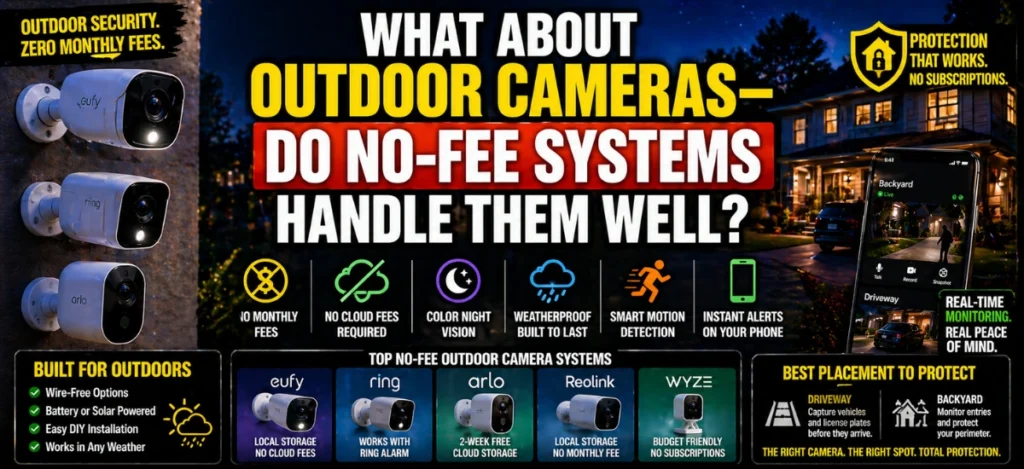
Outdoor cameras are where the no-fee vs. subscription debate gets most interesting. The good news: you can run excellent outdoor surveillance with zero ongoing fees. The setup just requires intentional choices.
What to Look for in a No-Fee Outdoor Camera
Color night vision is non-negotiable. Black-and-white infrared footage looks dramatic but is almost useless for identifying clothing color, hair color, or vehicle color — the details that actually help police. Every outdoor camera you buy in 2026 should offer color night vision in low light.
Look for local storage options (microSD slot or a home base that accepts a hard drive). Cloud storage without a subscription means 24-hour or 2-week event clips on some platforms — but that window disappears when the subscription lapses.
Power source matters more outdoors than indoors. Wire-free battery cameras offer placement flexibility but need charging every 1–6 months, depending on activity. Wired outdoor cameras (hardwired or plug-in) are more reliable but require outlet access or professional installation. Solar-powered options exist but vary widely in quality — they’re best in Arizona, New Mexico, and southern Texas, where sun exposure is consistent year-round; less reliable in Pacific Northwest and northern Midwest climates.
The Placement Rule That Experts Always Mention
The driveway camera is the most valuable camera you can own — more than a front-door camera. A front-door camera captures someone after they’ve arrived. A driveway camera captures every vehicle that turns in, from 30–50 feet away, before anyone steps out. License plates, vehicle make and model, approach timing — all caught before any threat materializes. If you’re starting with one outdoor camera, make it a driveway-facing one.
Is a No-Subscription Home Security System Enough for Apartments?
An apartment security system with no fee is not just possible — it’s arguably better suited to apartment-dwellers than any professionally monitored service. Here’s why: professional monitoring requires a landline or cellular communicator, a physical installation, and often landlord permission for hardwired components. A DIY wireless system requires none of those things.
For apartments, the ideal no-fee security setup looks like this:
A video doorbell (Eufy or Ring, battery-powered to avoid drilling) handles your main entrance. One or two door/window sensors on your entry door and any sliding glass doors. A motion sensor in the main living area. A small indoor camera (Wyze Pan Cam or similar) angled toward the front door from inside, with local storage via microSD.
Total cost for this apartment setup: roughly $120–$200. Monthly fee: $0. And when you move — which apartment-dwellers do — everything peels off the wall and comes with you.
The one thing apartments miss that houses have: a yard sign and exterior camera housing act as visual deterrents before anyone even approaches the door. In an apartment, you lose that outdoor deterrence layer. Compensate with a Ring video doorbell that has a visible camera lens and LED indicator — the visible lens alone deters a significant percentage of package thieves and opportunistic intruders.
What Are the Real Trade-Offs Between DIY Self-Monitoring and Professional Monitoring?
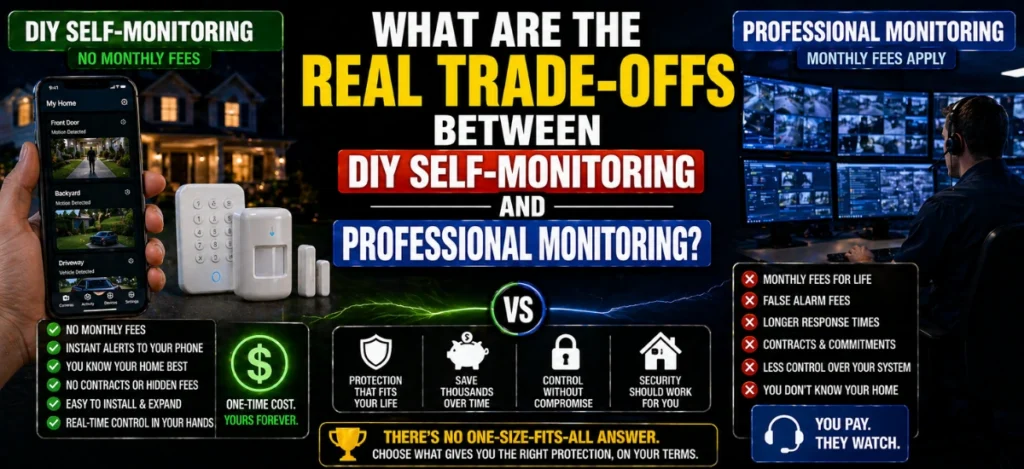
Honest answer: There are trade-offs. Anyone who tells you a self-monitored system is the same as a professionally monitored service isn’t giving you the full picture. But the trade-offs may not be the ones you expect.
Where professional monitoring genuinely wins:
When you’re completely unreachable. A 12-hour overnight shift with your phone on silent, an international flight without Wi-Fi, or an area with spotty cell coverage — in these situations, a central monitoring station is your backup. They’ll call 911 even when you can’t.
Some homeowner’s insurance policies (roughly 30–40% of major U.S. insurers, based on 2025 industry data) offer discounts for professionally monitored systems that they don’t extend to self-monitored setups. Call your insurance provider before assuming the discount applies — it often doesn’t, but sometimes it does.
Where self-monitoring wins:
False alarm fees are a real and growing expense in American cities. Roughly 94–98% of all alarm activations are false alarms, according to data from the False Alarm Reduction Association. Many municipalities charge $50–$200 per false alarm after the first or second incident. A professional monitoring system that dispatches police at the first alarm trigger can rack up hundreds of dollars in false alarm fines annually. A self-monitored system lets you verify before calling.
You also know your home. A professional monitoring center sees a motion alert at 11:47 p.m. in your garage and sends police. You see the same alert, check the camera, and recognize it’s your teenager parking the car after curfew. Self-knowledge has security value.
This next part is worth saving: the smartest approach for many American homeowners isn’t all-or-nothing. Several platforms let you use self-monitoring day-to-day and activate optional professional monitoring only when you travel. Ring Protect, SimpliSafe Professional, and Abode all offer this flexible hybrid model — paying only when you need the backup coverage.
Key Takeaways
- A DIY home security system with no monthly fee costs $150–$400 upfront and nothing ongoing — compared to $2,400–$4,200 over five years for a professionally monitored system.
- Self-monitoring means your phone replaces the monitoring center — real-time alerts, live camera access, and your own judgment about when to call 911.
- SimpliSafe uses cellular backup even on free tiers, protecting your system if Wi-Fi is cut — a feature most people don’t know to look for.
- For apartments, a battery-powered doorbell camera plus two door sensors and a motion detector covers most risk for under $200 with zero ongoing fees.
- The biggest rookie mistake is buying cameras before choosing a hub — always choose your alarm hub ecosystem first and build outward.
- Geofencing automations (auto-arm when you leave, auto-disarm when you return) are the difference between a system you actually use and one that collects dust.
- The hybrid model — self-monitoring daily, optional professional monitoring when you travel — gives you the best of both worlds without a permanent monthly commitment.
Read More: How to Secure Your Home Entry Points Like a Pro (Doors, Windows & Garage)
FAQ About DIY Home Security System
Not without at least some form of monitoring subscription. A true no-fee self-monitored system alerts you, and you decide whether to call 911. However, some platforms like ADT Self Setup and Abode offer pay-per-use monitoring so you can activate professional response only when you need it, without a monthly contract. As covered above in the Trade-Offs section, several systems support this hybrid approach.
Ring Alarm’s self-monitoring mode is genuinely free — you get app control, push notifications, and professional monitoring features turned off. The catch is cloud video storage: recording camera clips requires a Ring Protect subscription starting at $4.99/month per camera. If you use local storage via compatible devices or simply don’t need recorded clips, Ring Alarm self-monitoring is truly $0/month.
A basic setup — hub, keypad, 4–6 door/window sensors, 1 motion detector — takes most homeowners 45 minutes to 2 hours from unboxing to being fully operational. SimpliSafe advertises 30 minutes, and that’s realistic for their starter kit. Systems with more outdoor cameras and automations can take a full afternoon. No drilling or wiring required for most modern wireless systems.
It depends on your insurer. Roughly 30–40% of major U.S. home insurers offer discounts for monitored security systems that may not apply to self-monitored setups. However, several insurers (including some major national carriers) now recognize professionally certified DIY systems for partial discounts. Call your insurance agent specifically and ask — don’t assume either way. Some homeowners find that the insurance discount from professional monitoring doesn’t offset the monthly fee difference.
It depends on the system. Wi-Fi-only systems (like basic Wyze or Arlo without cellular) go offline if your internet goes down and cannot send alerts. Systems with cellular backup (SimpliSafe, Ring Alarm with Ring Protect Plus, Abode) maintain communication even without internet. If cellular backup matters to you — and in many scenarios it should — verify before you buy that the system includes it, or budget for the upgrade that enables it.
The cheapest functional DIY home security system with no monthly fee is a Wyze starter bundle — typically $50–$80 for a camera and motion sensor — paired with a Wyze Hub for entry/exit alerts. For a more complete setup, Ring Alarm’s 5-piece starter kit runs around $200 with no monthly charge for self-monitoring. Both are available at major U.S. retailers, including Amazon, Best Buy, and Walmart.
Yes, with the right configuration. In a higher-risk environment, prioritize visible deterrence (camera housings, keypads visible from the street, yard signs), multiple overlapping camera angles, especially at the driveway and back entry, and a system with cellular backup so Wi-Fi disruption doesn’t kill your alerts. Consider a smart lock with alerts as an additional layer. The research consistently shows that visible security presence deters the majority of opportunistic crime regardless of whether monitoring is professional or self-managed.
Yes. Modern wireless no-fee security systems are specifically designed for renters. No drilling, no hardwiring, no landlord permission typically required. Everything adheres with 3M strips or suction mounts. Eufy, Ring, and SimpliSafe all explicitly market renter-friendly installation. When you move, the entire system comes with you — unlike hardwired systems installed by a landlord that stay with the property.